 yulori
Get the app
Before you head out
Start with a goal and the days you want to run. Yulori uses that information to build a training plan on your phone. Your Today view brings together the planned session and a note from Coach; a pre-run conversation lets you talk it through before starting.
Pick your recording setup: iPhone GPS, or the paired Apple Watch companion. The iPhone handles voice coaching in either setup. For heart rate without Apple Watch, the phone can listen to a compatible Bluetooth heart-rate broadcaster.
Compare the device options →During a run
Ask Coach about your current pace, average pace, distance, elapsed time, or heart rate when a reading is available. You can also pause, resume, and finish with supported spoken commands. The screen keeps the latest Coach response alongside your metrics.
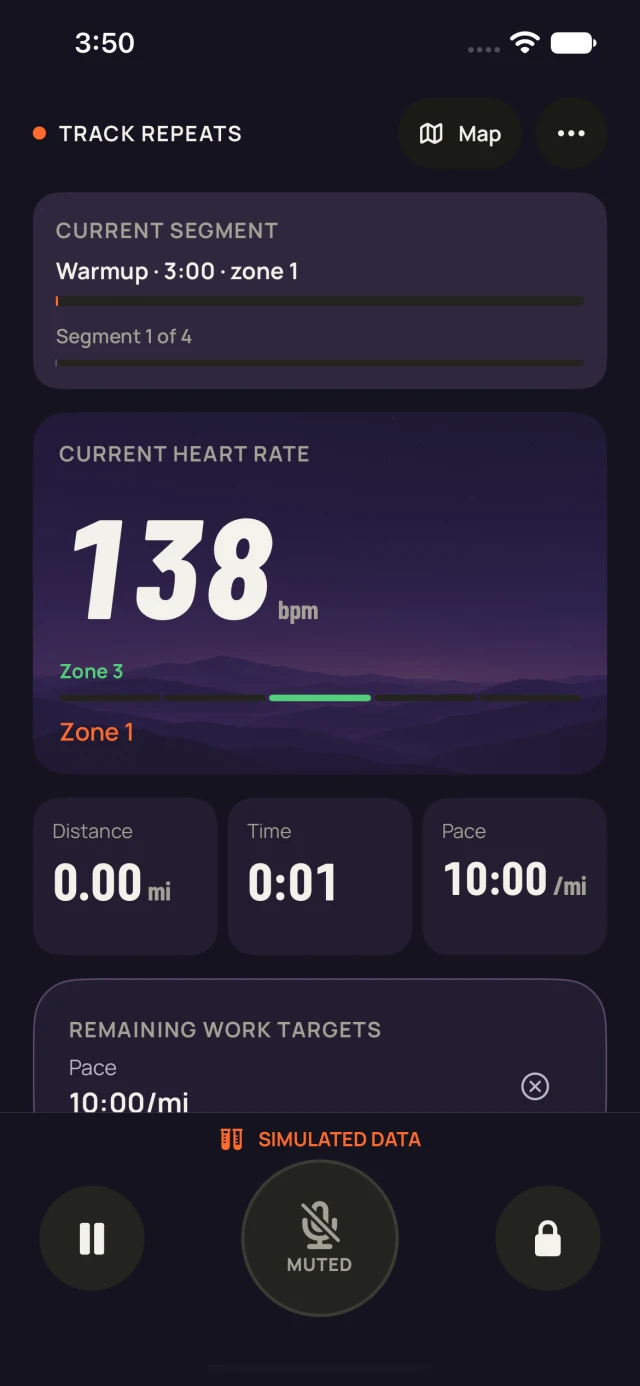
“Hey Coach, how far have I run?”
Coach answers from the current session. The website demo uses sample data instead.
In the current app, you can choose continuous listening during a run or a wake-phrase mode that responds to “Hey Coach.” The microphone toggle stops capture while Coach can keep speaking. Use the mute-coach control when you want to stop both listening and spoken guidance.
Coach waits until you finish speaking. You cannot interrupt a spoken response with another request in the current version; wait for it to finish, then ask.
A plan with room for real life
Your plan includes sessions such as easy runs, long runs, tempo runs, and intervals. Planned sessions describe distance and effort. A pace target is something you can ask for during a run, rather than a mandatory number on every training day.
When a week changes, you can move, skip, or make a run easier. A requested schedule change appears for you to accept or keep as it was. The plan is generated by software; it is not an individually assessed coaching prescription.
See how plans and intervals work →Permissions with a purpose
- Microphone and speech
- Let the app hear and recognize requests on your device. No raw audio is stored by the current app.
- Location
- Lets the recording device capture a GPS route. Without location access, a run can record without a route map.
- Health
- Supports workout recording and saving to Apple Health. Health permissions and available sensor data affect what the app can display.
- Bluetooth
- Needed when the iPhone reads an external heart-rate broadcast.
The current app does not require an account or a cloud language model. Local run history and Apple Health are separate places where a workout may be stored; deleting a run offers a choice about whether to remove its Apple Health copy too.
Finish, save, and look back
After a run, review the recap, splits, effort, and a spoken summary. Watch the saving status: stopping a workout and successfully saving it are separate steps. Simulated runs are labeled and are not written to Apple Health.
If voice fails, use the manual controls on the device recording the workout. For a Watch-recorded session, check the Watch and use its Stop & save control. After an interruption, confirm the recording state rather than assuming the session has recovered.
Background listening, Bluetooth microphones, wind, and interruption recovery still need real-device validation. Yulori is not being presented as a finished, universally compatible release.
Run with Coach
Yulori is available now for iPhone, with an Apple Watch companion.